Showing posts with label CodeRage. Show all posts

Friday, March 22, 2013

Anders' Analog Clock app ported to Delphi for iOS

My FireMonkey Clock app has been ported using a beta version of Delphi for iOS.

[caption id="attachment_39423" align="alignnone" width="225" caption=" "]Main tab[/caption]

Above you can see a screen shot of the app as it starts up. By default it uses "normal drive" - the second hand moves once per second and the minute hand moves once per minute.

The app is a Universal app (supports iPhone and iPad). The main clock screen uses a TScaledLayout to ensure proper scaling down to the iPhone (the app was designed for the iPad).

If you hit the Info button it will take you to the setup tab, where you can select "Flame" (or FireMonkey second hand) as well as "Smooth drive" - the second and minute hands move smoothly.

[caption id="attachment_39422" align="alignnone" width="225" caption=" "]Setup tab[/caption]

The setup screen uses a combination of items that scale and items that don't scale. For instance, the toolbar, the back button, and the listbox with its items are not supposed to scale, but still be aligned properly. The clock faces, however, do scale inside of a TScaledLayout.

[caption id="attachment_39425" align="alignnone" width="225" caption=" "]FireMonkey second hand[/caption]

Above you can see what the FireMonkey second hand looks like.

Below is a screen shot of my Structure Pane where you can see how I designed the app:

[caption id="attachment_39424" align="alignnone" width="127" caption=" "]Structure View[/caption]

I also wanted to mention performance. The previous version of the app was created in XE2 where I got about 2-3 frames per second in smooth mode - not very smooth. However, this version created with our upcoming product gets a blazing 60 frames per second on the iPad 3 using iOS 6.1.3 and almost the same fps rate on iPhone 4 (iOS 5.1) and iPad 2 (iOS 6.1) at about 55+ frames per second.

Enjoy!

PS: The screen shots above are actually from the *next* update I will be pushing soon... The current one looks almost the same, except for a few changes in layout.

Friday, December 21, 2012

Tuesday, December 11, 2012

Submitting a C++Builder XE3 application to the Mac AppStore

Yesterday, I filled a hole in the schedule with an impromptu session on visualization of mathematical functions. At the end I also showed how to submit the application to the Mac AppStore.

At the end I ran into an error saying "Invalid Binary" and I filled in the details for my contact information that it asked me for.

However, this didn't solve the entire problem.

You also need to turn off Dynamic RTL and Run Time Packages. Unless you code sign them manually on the Mac side.

Finally, in order to bypass an issue with the Incremental Linker for Mac, you will need to turn off the Incremental Linker.

Doing these three things in addition gave me a successful submission to the AppStore.

:)

C++Builder R&D sessions at CodeRage 7 tomorrow

Don't miss these R&D sessions tomorrow (Wednesday) at CodeRage 7:

9am PST - Migrating C++Builder Code to 64-bit

This session will cover differences between the Embacadero Win32 and Win64 C++ compilers, comparing keywords, macros, extensions and standards conformance of bcc32 and bcc64. The focus will be on strategies to port existing C++ Projects (ActiveX, WebBroker, SOAP, etc) and writing new code in a way that works for both Platforms.

Bruneau Babet - Embarcadero

12pm PST - C++Builder 64-bit Windows Compiler: Supporting the Delphi Extensions Including RTTI

The C++ language standard provides a naming convention to identify language extensions using the double underbar (__) in front of any extensions. This session will discuss the language and runtime extensions added to the new C++Builder 64-bit Windows compiler to support Delphi language, types, components and enhanced RTTI.

Eli Boling - Embarcadero

1pm PST - Using the C++ Standard and Boost Libraries in your 32-bit & 64-bit Applications
The C++ Standard library is a set of classes and functions that are part of the ISO standard for C++. The Boost C++ libraries include a collection of portable C++ source libraries created by Boost community members (http://www.boost.org), some of which are now included as part of the C++ Standard library. In this session you will learn how you can use the C++ Standard and Boost libraries in your C++ applications for Windows and Mac OS X.

Lee Cantey - Embarcadero

Enjoy!

Friday, November 30, 2012

Wednesday, October 31, 2012

CodeRage is next week! Register NOW!

CodeRage is less than a week away. If you haven't registered yet, why not just do it right now?

Register for CodeRage
Learn more about CodeRage

If you’re a software developer, this is your kind of conference.  It’s technical. It’s flexible. It’s free!
CodeRage serves up real-world technical sessions designed to provide you with information you can put to work immediately in your projects, in your environment.

CodeRage brings you top industry speakers and technologists presenting on a wide variety of topics, all geared toward maximizing your productivity. Session and presenter highlights include:

•    Delphi Product Address - John Thomas
•    What's New in the Delphi Language - Bob Swart
•    IDE Productivity Tips & Techniques - Brian Long
•    New Features of FireMonkey FM2 - Darren Kosinski
•    Building Scalable, Multi-tier Systems with DataSnap XE3 - Paweł Głowacki
•    Discover LiveBindings Advanced Features - Jim Tierney

...and so much more!

Attend the live online sessions and interact with session leaders and your peers.  Can’t make a session? No problem, return at your convenience and watch a video replay on-demand.

See you there!

Friday, March 9, 2012

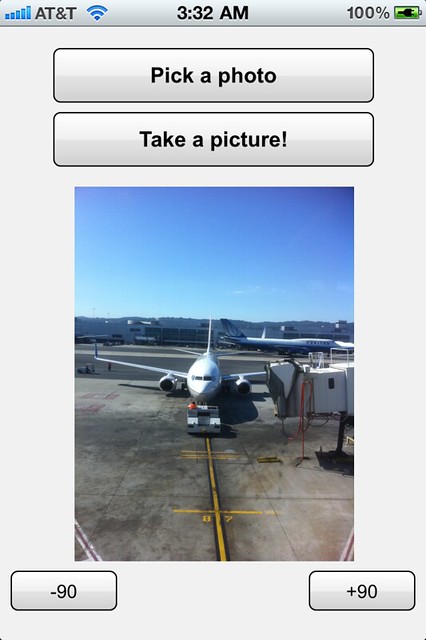
iOS Camera/Photo demo - PREVIEW - AS-IS

I'm only posting this because a lot of folks have been asking for it.

This demo is provided as-is with no guarantees of working on any device whatsoever.

http://cc.embarcadero.com/item/28774

You have been warned. It's by no means complete. Not even tested since 10/11/2011 - not tested on iOS 5.0 or 5.1. Last I tested it was on 4.3 I think.

I'll replace it when I get time to finish it. Feel free to send me back a 10x better version.

BTW - you *have* to hack FMX_Platform_iOS.pas and know what you're doing to use this demo. You have to surface mainwindow and whatever else Xcode tells you is missing. You can do so by moving the declarations from the implementation section to the interface section. All warranties may very well be void by doing so, so back the file up before breaking it.

Disclaimer done... ;)

Enjoy!

Thursday, October 13, 2011

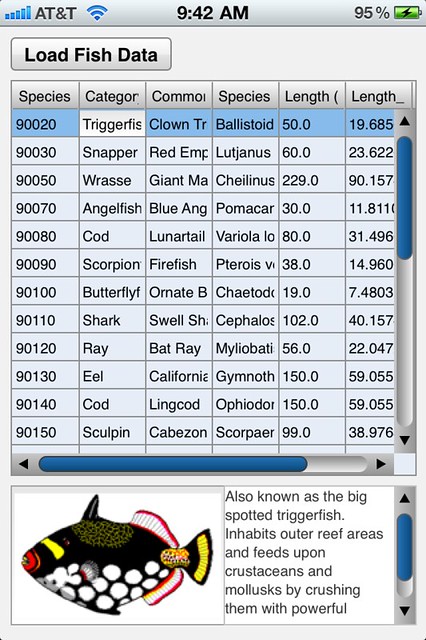
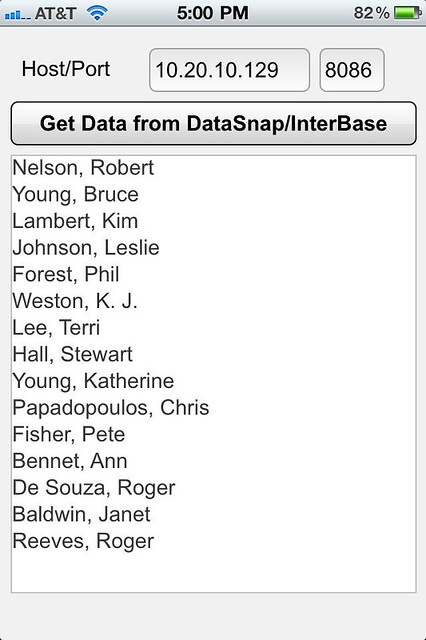
More iOS DataSnap. This time connected to InterBase!

As you can tell, this is EMPLOYEE.GDB popping up on my iPhone!

This app will be part of the InterBase talk at CodeRage 6. Don't miss it!

I may even have a white paper by then...
iOS FireMonkey DataSnap

Wednesday, October 12, 2011

iOS demos as videos

Of course CodeRage 6 is around the corner, and I finally recorded my iOS session for it. ;)

I also recorded a 6-minute teaser on "GPS and Compass". It should be posted on YouTube by tomorrow, I hope. I'll blog again when it is.

Monday, October 10, 2011

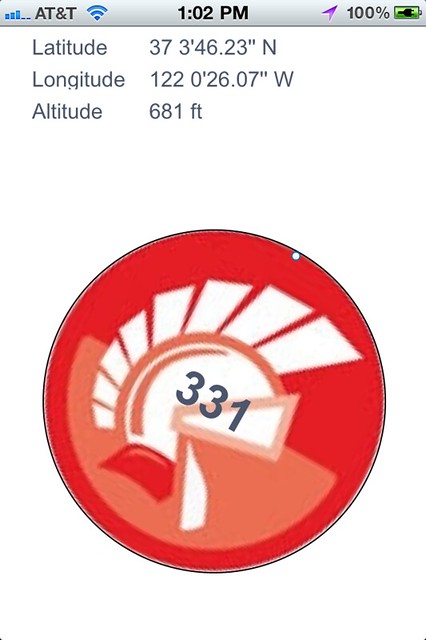
Getting GPS coordinates and compass heading in an iOS FireMonkey app

GPS and compass in FireMonkey

Below is a code snippet that shows how to write the delegates that get GPS and Compass heading information from the device.

Don't worry - cleaned up complete examples are forthcoming shortly.
{$IFDEF FPC}
type
MyCLController = objcclass(NSObject)
locationManager : CLLocationManager;
procedure locationManager_didUpdateToLocation_fromLocation(manager: CLLocationManager; newLocation, oldLocation: CLLocation); message 'locationManager:didUpdateToLocation:fromLocation:';
procedure locationManager_didUpdateHeading(manager: CLLocationManager; newHeading: CLHeading); message 'locationManager:didUpdateHeading:';
end;

var
Controller : MyCLController;
{$ENDIF}

{$IFDEF FPC}
procedure MyCLController.locationManager_didUpdateToLocation_fromLocation(manager: CLLocationManager; newLocation, oldLocation: CLLocation);
begin
// Do stuff with newLocation.coordinate.latitude and .longitude here
end;
{$ENDIF}

{$IFDEF FPC}
procedure MyCLController.locationManager_didUpdateHeading(manager: CLLocationManager; newHeading: CLHeading);
begin
// Do stuff with newHeading.magneticheading here
end;
{$ENDIF}

procedure TForm1.FormCreate(Sender: TObject);
begin
{$IFDEF FPC}
Controller := MyCLController.alloc.init;
Controller.locationManager := CLLocationManager.alloc.init;
Controller.locationManager.setDelegate(Controller);
Controller.locationManager.startUpdatingLocation;
Controller.locationManager.startUpdatingHeading;
{$ENDIF}
end;

procedure TForm1.FormDestroy(Sender: TObject);
begin
{$IFDEF FPC}
Controller.locationManager.release;
Controller.release;
{$ENDIF}
end;

Friday, October 7, 2011

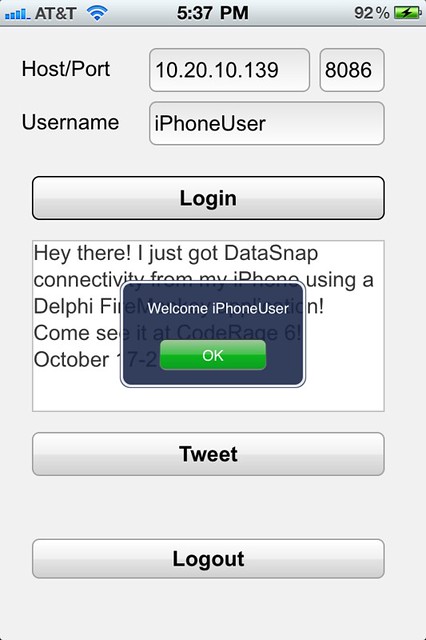
PREVIEW: Delphi iOS FireMonkey DataSnap client!

Find out how at CodeRage 6! October 17-21!

Disclaimer: Super super early preview of hackery done by me, with a LOT of help from Phil Hess. He parsed the ObjC headers for the mobile DataSnap connector. I then used his instructions to compile those header units. After that, I converted 50-70 lines of ObjC for the custom DataSnap access to the custom server methods to get this VERY FIRST demo working. There is no general proxy writer for Delphi/FPC (yet).

Enjoy!

DataSnap on iOS

Thursday, October 6, 2011

Smile! You're on iOS FireMonkey camera!

See you at CodeRage 6!

CameraApp on iOS using Delphi and FireMonkey

Using the Accelerometer in an iOS FireMonkey app

Special thanks to Eugene Kryukov and Phil Hess for this stuff!

Check out CodeRage 6 for a cool implementation!

Enjoy!
implementation

{$R *.lfm}

type
UIAcceleration = objcclass external (NSObject)
public
function timestamp: NSTimeInterval; message 'timestamp';
function x: UIAccelerationValue; message 'x';
function y: UIAccelerationValue; message 'y';
function z: UIAccelerationValue; message 'z';
end;

AccDelegate = objcclass(NSObject)
procedure accelerometer_didAccelerate(accelerometer: UIAccelerometer; acceleration: UIAcceleration); message 'accelerometer:didAccelerate:';
end;

var
AccDelegatVar: AccDelegate;

procedure AccDelegate.accelerometer_didAccelerate(accelerometer: UIAccelerometer; acceleration: UIAcceleration);
begin
// Do whatever you want to with acceleration.x, y and z here!
end;

procedure TForm1.FormCreate(Sender: TObject);
begin
UIAccelerometer.sharedAccelerometer.setUpdateInterval(1.0 / kAccelerometerFrequency);
AccDelegatVar := AccDelegate.alloc;
UIAccelerometer.sharedAccelerometer.setDelegate(AccDelegatVar);
end;

Wednesday, January 21, 2009